

What changed
Replit added a new way to check a built app for security holes: a black-box penetration test that probes a private running copy of your app the same way an outside attacker would, instead of just reading your source code for mistakes.
A penetration test, or “pen test,” is a safe, authorized practice attack. Replit uses an AI agent to try authorized attacks so you can fix discovered flaws. Replit already runs a code-reading scan, where an agent reads through your app’s source code looking for patterns that tend to be dangerous, like a missing permission check. That runs automatically every time you build.
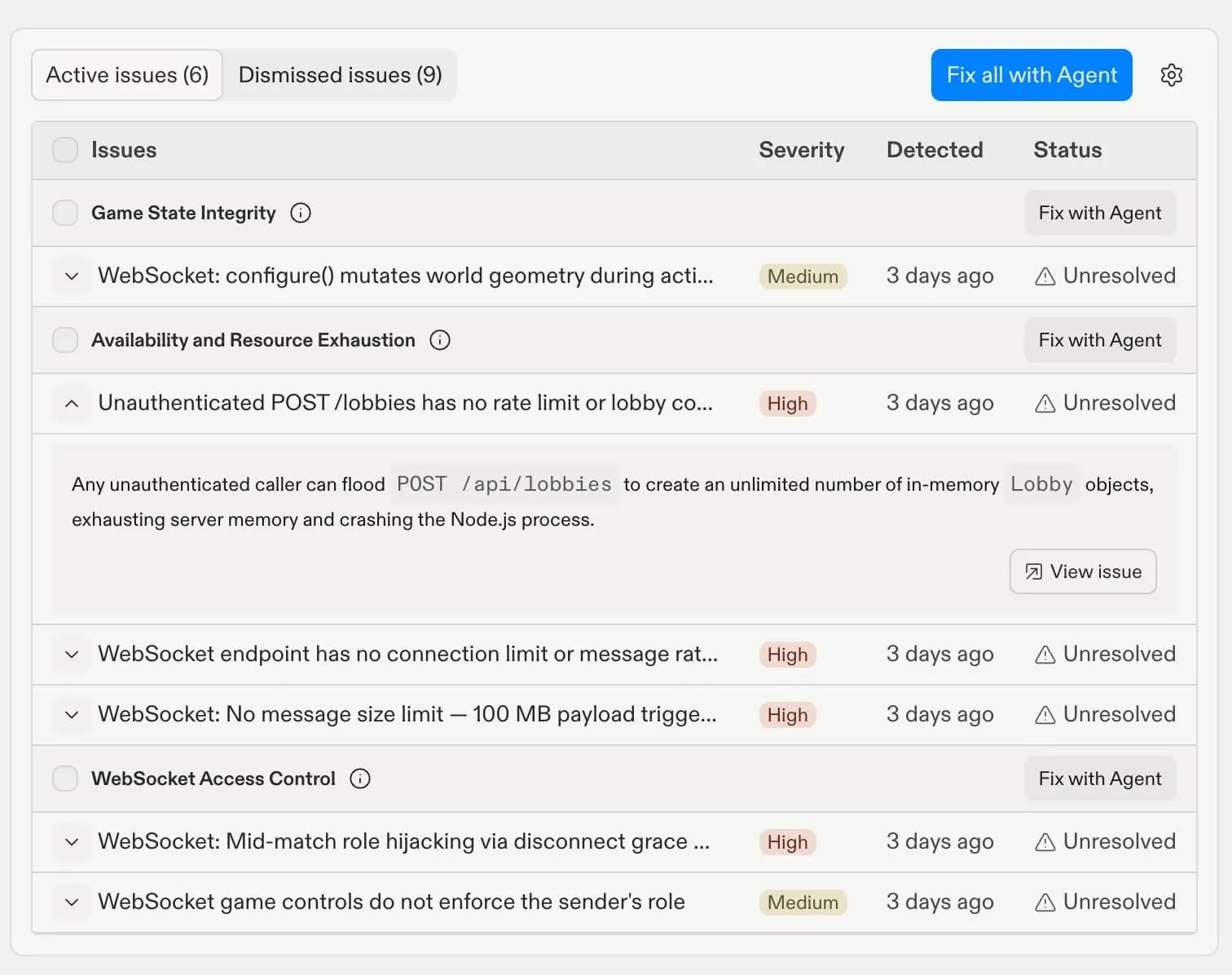
The new black-box scan does not look at your code. It clicks through that running copy in a browser, watches the network traffic to figure out what features exist, and then tries to find a way in, the same starting point a real hacker would have.
Replit’s Security Center now offers three scan levels. Level 1 is free and runs dependency checks (looking for known flaws in the outside code libraries your app depends on) plus a basic code scan. Level 2 is a deeper scan from the code-reading agent. Level 3, the new option, runs the code-reading scan and the new black-box scan together.
You start it manually from your project’s Security Center. Confirm your plan includes Level 2 and Level 3, and allow time for the scan before scheduling a release.
The black-box scan runs twice: once with no login, to see what a random visitor could reach, and once logged in as a real user, to check whether that user can reach things they shouldn’t (a problem called privilege escalation, where someone gets more access than they’re supposed to have). It all happens against a private sandbox copy of your app, not your live production version, which Replit says protects production from the scan.
Why it matters
Reading code and probing a running app turn up different problems, and Replit’s own post says the two rarely find the same thing. Replit’s examples show the code-reading scan catching logic flaws, like a user whose access was revoked in the database but who can still log in because a check elsewhere in the code was never updated. Its black-box scan found exposure flaws, like an admin dashboard that’s reachable by anyone who guesses the URL, with no login screen stopping them.
That gap matters because code can look correct in isolation and still be exposed once it’s actually running. For example, a misconfigured address or reachable debug page may expose data even when the intended permission check looks correct. Testing the running app can reveal exposure a code scan missed.
The concrete risk: an app can pass every code-level scan and still be sitting open to anyone who finds the right URL. If you’re building something that stores real user data, treating a clean code scan as proof the app is safe is the mistake to avoid. Run the black-box pass too, and look specifically at anything it flags that the code scan didn’t, since those are the issues a real visitor could reach today.
What this reflects
This follows a pattern building across AI app builders. On August 5, Lovable added an automatic trust page to every publicly published app, showing platform security controls like encryption and dependency scanning without any setup. Replit’s scan tests behavior; Lovable’s trust page reports configuration and platform controls. Both make security information easier to obtain within the builder workflow. They answer different questions and do not replace every form of security review.
Who should care
This matters most for Replit apps with real user data or logins, particularly products shared outside a test group. It matters less for a prototype with fake data that no one outside your own testing has touched, though it’s still worth running before you add your first real user.
What builders should do next
Pick a project you’ve already built and run a Level 2 scan and a Level 3 scan on it. Compare the total findings and any extra issues Level 3 catches around logins, admin pages, or user permissions.
Replit says the two approaches rarely find the same problems. Zero extra findings means this scan found nothing additional; it does not establish that the app is secure or matches its code. Fix exposed pages and broken access checks before sharing the app with real users. Keep testing access after changes, because a clean scan cannot cover every possible failure.
End of article