

What happened
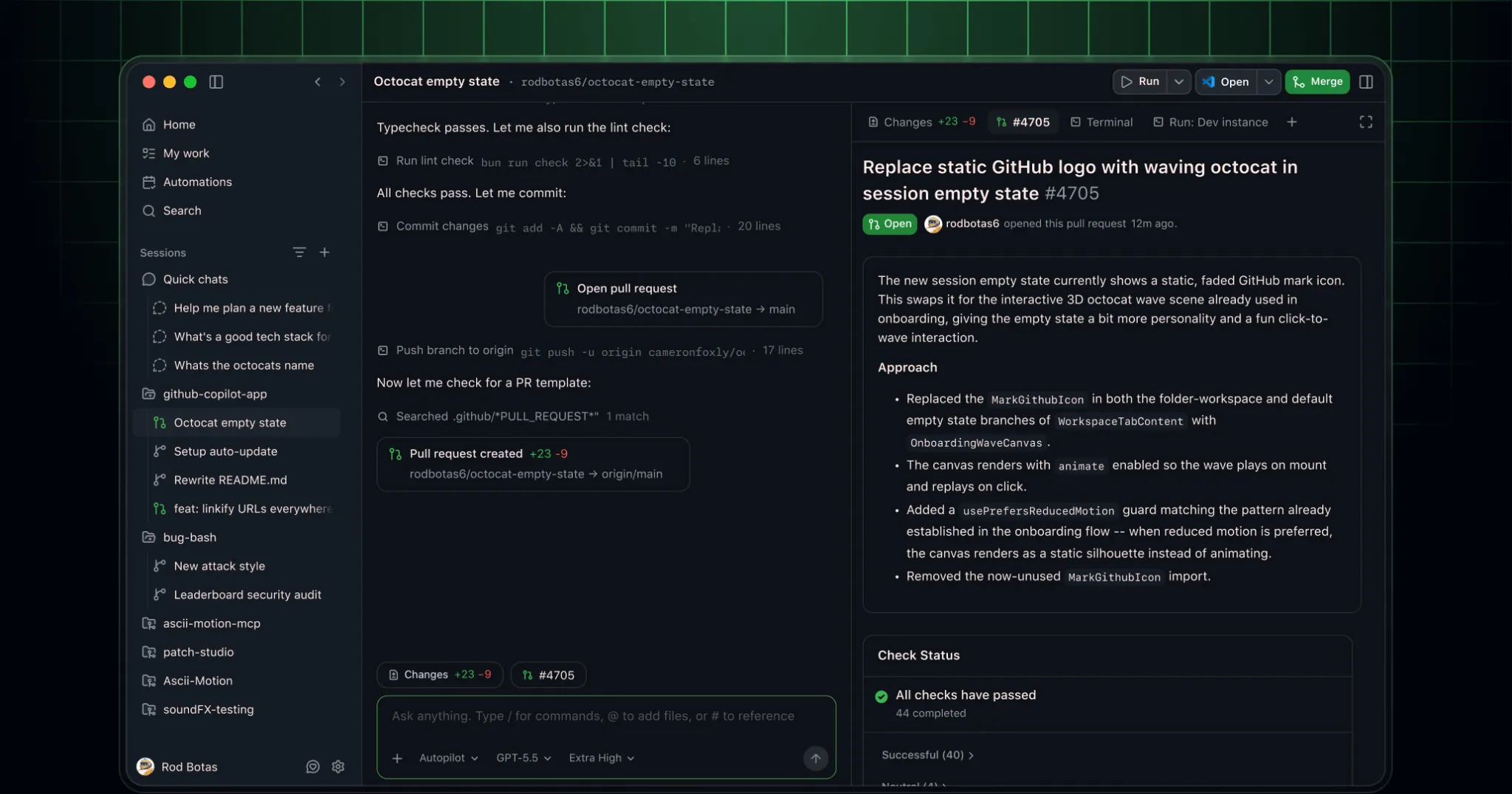
GitHub shipped the GitHub Copilot app to every Copilot plan on July 7, including Copilot Free and GitHub Education accounts. The app is a desktop client for macOS, Windows, and Linux that runs coding agent sessions outside your browser or editor.
The app itself isn’t new. GitHub introduced it earlier this year as a technical preview, an agent-native rework of Copilot built around running, steering, and merging AI-driven coding work. What changed this week is who gets to use it.
Why it matters
Each session in the app runs in its own git worktree, a separate working copy of your branch. GitHub sets up those separate working copies automatically. Review the combined changes before merging parallel work; separate copies do not guarantee compatible results.
You also choose how much control to hand the agent. Interactive mode keeps you in the loop turn by turn. Plan mode has the agent propose a plan you approve before it touches anything. Autopilot lets it run a task through to completion on its own.
The app ships with Agent Merge, a feature that tracks a pull request, a proposed code change, through automated checks and required reviewers. It can work toward passing those checks or merge the change once your conditions are met. That moves the product from “AI writes code” to “AI ships code,” and it’s now open to anyone with a free GitHub account.
Who should care
Anyone on Copilot Free or GitHub Education who has only used Copilot as an editor autocomplete or a chat sidebar. This is a different product: a standalone app for running full coding sessions, not a suggestion tool bolted onto an editor.
It also matters if you don’t want a Copilot subscription at all. The app supports bring-your-own-key (BYOK) access, so you can connect your own model provider without a Copilot subscription. Check that provider’s charges before starting a session.
Teams on Business or Enterprise plans should note one catch. An org admin has to enable Copilot CLI in the organization’s policy settings before members can open the app.
What builders should do next
Download the app from gh.io/app and sign in with your GitHub account. Don’t treat it like Copilot Chat with a new coat of paint.
Start with Plan mode on a small task first. Let the agent draft a plan, read it before approving, and get a feel for how it scopes work before you hand it something real on Autopilot.
If you’re on a Business or Enterprise plan and the app won’t open, first check whether your organization enables Copilot CLI. Ask your admin to turn it on in your organization’s Copilot settings.
End of article