

Update, October 9, 2026: Dactyl requires ChatGPT Pro for subscription sharing. Browser-preview purchases are simulated and do not move money.
Mobile app builders use several approaches, including web views that display websites and frameworks that render native components from shared code. Dactyl, a new tool from a team of engineers at Deno, the JavaScript runtime company, is trying a different approach: describe an app, and it writes real, native SwiftUI (Apple’s own framework for building iOS interfaces) code you can preview instantly in your browser.
Bert Belder, a Deno co-founder, confirmed on X that the project comes from a small group at Deno, built around a SwiftUI renderer running in WASM (a format that lets code originally written for one platform run inside a web browser at near-native speed). That’s what powers Dactyl’s in-browser simulator: you can interact with a browser preview without installing Xcode or owning a Mac. Check device-specific behavior on an actual device before release.
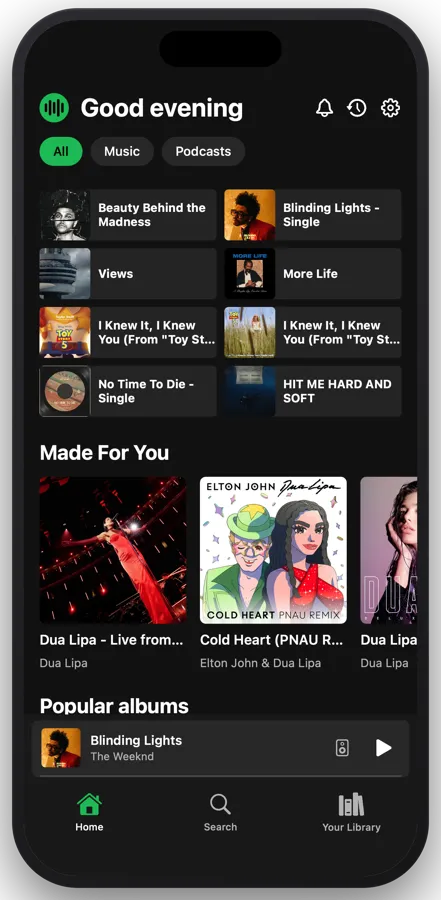
What it actually builds
According to Dactyl’s own site, the agent writes real SwiftUI you can read, edit, and export as an Xcode project (Apple’s official app development toolkit) at any point. Check which services and assets need separate migration when exporting. The same Swift code compiles into a native Android APK as well, the installable file format Android apps normally ship in, which Dactyl says means no rewrite and no web view for the Android version either.
Beyond the interface, Dactyl says it wires up working infrastructure by default: real Sign in with Apple and Google, camera and GPS access, and StoreKit, Apple’s in-app purchase system. Browser-preview purchases are simulated, with no money moving. TestFlight purchases use Apple’s sandbox; App Store purchases can charge real money.
Getting an app onto your own phone just takes scanning a QR code, no Apple Developer account required. Publishing to the App Store or TestFlight does require that $99-a-year Apple Developer account, which Dactyl says it walks you through from inside the editor. Play Store publishing isn’t available yet; Dactyl’s FAQ lists it as coming later.
Subscription sharing requires ChatGPT Pro
Dactyl’s Builder plan costs $20 a month and supports sharing an eligible ChatGPT subscription. Plan sharing requires a personal ChatGPT Pro plan and Dactyl Builder or higher. Plus and Business accounts can sign in but cannot share their subscription allowance. Model work can use the Pro allowance; Dactyl says failed builds don’t cost you anything. A free tier exists too, running on Dactyl’s own included credits instead.
Plan sharing covers the agent that writes code. Compiling apps, generating assets, and publishing still use Dactyl credits. If the ChatGPT connection expires, Dactyl says it falls back to those credits. Check both bills when estimating a project’s cost.
What to check before you rely on it
Dactyl connects generated apps to user accounts, purchases, and device features. That matters because of what it’s plugging in by default: real user authentication, real payment processing, and real device data like location and camera access.
Before you point Dactyl at actual users or real payments, read its privacy and data-handling terms directly. Confirm where user data from Sign in with Apple or Google actually gets stored, and whether that meets whatever privacy commitments you’re making to your own users. Check access rules and payment behavior before adding real users or production credentials.
What builders should do next
Don’t take the pricing page’s numbers as your numbers. Use a separate test project in the free tier to build a login flow with a test account and a dummy saved record. Keep real user data and production credentials out of it. Track two things while you do it: how many corrections you have to make to get the auth flow actually working, and how much of the free credit allowance that single feature consumes before you’d need to pay.
Use that result to estimate development cost, including the $20 Builder fee and an eligible ChatGPT Pro subscription.
Where this fits
AI app builders are competing on exportable native code and how they charge for model usage. Dactyl writes SwiftUI you can export, builds Android apps, and currently supports ChatGPT Pro subscription sharing on its Builder plan. Exportability and model billing affect what you can ship and what happens to your project if the tool disappears. Judge any builder by what you can take with you, not by what the demo shows.
End of article